
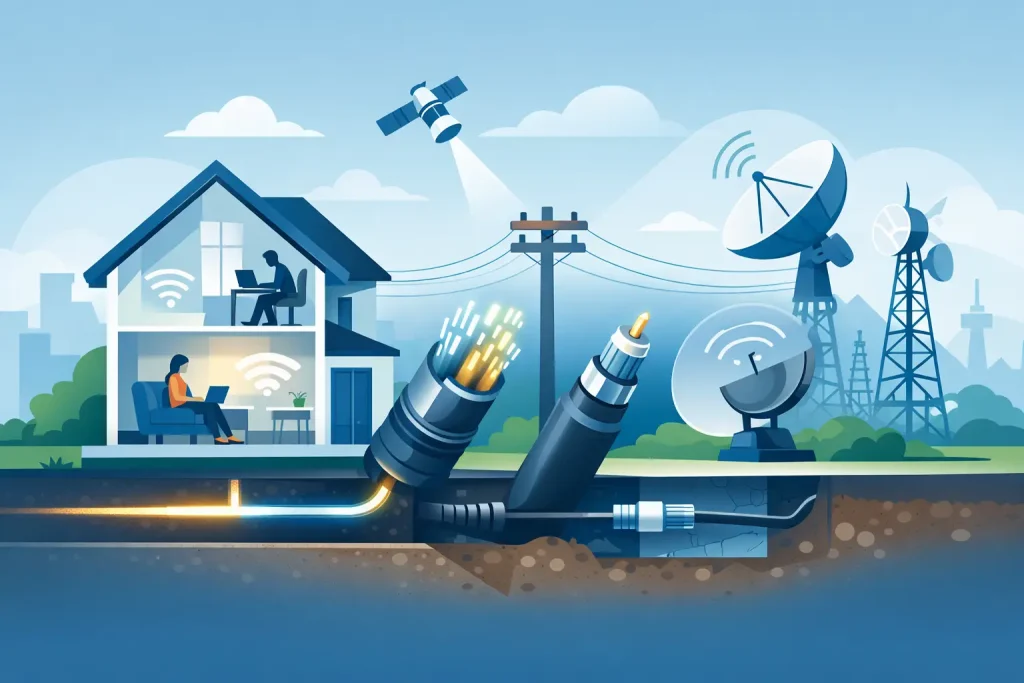
The internet experience in two homes on the same street can be very different. One may have fibre running right to the premises; the other may rely on older copper for the last part of the connection. That is why understanding nbn technology types matters before you compare plans, chase a higher speed tier or blame your provider for a bottleneck built into the network.
The good news is that you do not need a telecommunications degree to make a smart choice. Your address determines the access technology available, and that technology helps set realistic expectations for speed, consistency and upgrade options. A good provider should explain this plainly, not bury the detail behind promotional pricing and technical jargon.
Why your nbn technology type changes the experience
The nbn is not one single network built the same way everywhere. It uses a mix of fibre, existing copper and cable infrastructure, plus wireless and satellite services in locations where fixed connections are harder to build.
The biggest difference is usually the final stretch between the network and your home. Fibre carries data using light and has far more capacity than old copper lines. Copper can still provide a perfectly usable connection, particularly for everyday browsing and streaming, but performance is more affected by distance, line condition and the wiring inside the property.
Your technology type does not tell the whole story. Wi-Fi setup, the number of people online, your modem, household wiring and the plan you choose all matter too. But it gives you the starting point for working out what your connection can reasonably deliver.
Understanding nbn technology types in Australia
Fibre to the Premises (FTTP)
FTTP is the most direct fixed-line option. A fibre optic cable runs all the way to a network device at your property, without relying on legacy copper for the final section.
For busy households, FTTP is usually the strongest position to be in. It is well suited to multiple 4K streams, video calls, online gaming, cloud backups and households where people are working or studying from home at the same time. It also has the clearest path to faster speed tiers as they become available.
That does not mean every FTTP home needs the fastest plan on offer. A couple who mainly browse, stream and make the occasional video call may be well served by a moderate plan. The advantage is headroom: the connection is less likely to be the limiting factor as your household’s needs grow.
Fibre to the Node (FTTN)
With FTTN, fibre runs to a neighbourhood cabinet, known as a node. The remaining connection to your home uses the existing copper telephone line.
Because copper is involved, results can vary from one address to another. Homes closer to the node generally have a better chance of reaching higher speeds, while longer or ageing copper lines can reduce what is achievable. A fast plan is not a magic fix if the line itself cannot support it.
FTTN can still work well for standard household use, but it is the technology where honest expectations matter most. If your connection struggles at peak times or cannot achieve the speed you need, it is worth checking whether an upgrade pathway is available for your address rather than simply paying more each month for a plan you cannot fully use.
Fibre to the Curb (FTTC)
FTTC takes fibre closer to home than FTTN, usually to a small distribution point near the kerb. A short section of existing copper then connects the network to the property.
The shorter copper run often makes FTTC more capable and consistent than FTTN. It can be a strong option for streaming, remote work and homes with several connected devices. Like any copper-based final connection, the condition of the line can still play a part.
Some FTTC premises may also have options to move to full fibre. Availability and costs can vary, so the practical first step is always an address check.
Fibre to the Building (FTTB)
FTTB is common in older apartment buildings and some multi-dwelling properties. Fibre reaches the building, then existing internal copper cabling carries the service to individual apartments.
Performance depends partly on the building’s internal wiring. That can make the experience less predictable than a direct fibre connection, even when neighbours are on the same plan. Renters should not assume they are stuck, though. The building’s connection type, approved providers and any upgrade options are worth checking before signing up or moving home.
Hybrid Fibre Coaxial (HFC)
HFC uses the cable network originally installed for pay TV in many suburbs. It combines fibre with coaxial cable to reach homes and can support high-speed internet plans.
For most households, HFC is capable of handling demanding use. Streaming, gaming, video meetings and large downloads are all realistic expectations on a well-performing HFC service and suitable plan. As with every connection, actual performance can be affected by home equipment, local network conditions and how your Wi-Fi is set up.
If you have HFC, use a current modem and place it sensibly. A weak Wi-Fi signal in a back bedroom is a home-network issue, not necessarily an internet-line issue.
Fixed Wireless and Sky Muster satellite
In regional and rural areas, fixed wireless may serve a home via a nearby nbn tower rather than a physical cable. It can be a practical alternative where running fibre to every property would be difficult or costly.
Fixed wireless performance is influenced by tower capacity, distance, terrain and signal conditions. It can be a good fit for everyday use, but households with intensive needs should check the available plan speeds and expected performance carefully.
Sky Muster satellite serves more remote locations where fixed-line and fixed wireless services are not available. It keeps households connected in places that would otherwise have limited options, but latency is higher than on fixed connections. That can be noticeable during real-time gaming or some video calls. It is a trade-off, not a failure of the service: satellite is designed to solve a very different access problem.
What the technology means for your household
Start with how you actually use the internet, not with the biggest number on a plan page. A household that watches streaming services in the evening and scrolls on a few mobiles has different needs from a home running video meetings, online classes, security cameras, gaming consoles and large cloud backups all day.
Upload speed deserves more attention than it gets. Download speed affects how quickly you stream and download files. Upload speed affects how well video calls, sending large files, cloud storage and sharing content work. For remote workers and creators, a connection with stronger upload capability can be more useful than headline download speed alone.
Also separate connection performance from Wi-Fi coverage. If the internet is reliable beside the modem but drops out at the far end of the house, changing plans may not help. Modem placement, a mesh Wi-Fi system or a wired connection for fixed devices can make a meaningful difference.
Choose a plan based on what your address can support
First, check the network and technology available at the exact address. Suburbs can contain several connection types, so a neighbour’s experience is useful context but not a guarantee. Then choose a speed tier that suits your regular use, with enough breathing room for the times everyone is online.
Be wary of plans sold on a short-term discount without clear ongoing pricing. The right plan is one that fits your budget after the promotion ends, has straightforward terms and comes with support you can reach when something goes wrong. No household should have to spend an afternoon being passed between departments to report a simple fault.
It is also worth asking what happens if the connection is underperforming. A provider should help identify whether the issue is inside the home, with the modem or Wi-Fi, or with the underlying line. Clear advice saves time and avoids paying for upgrades that will not solve the actual problem.
Not every address is connected to the nbn. Some apartments, estates and buildings use alternative networks such as Opticomm, private fibre or cable infrastructure. The same principle applies: check what serves the property, understand the connection into the home, then compare plans on their real value rather than a flashy introductory offer.
Make the address check your first move
Technology should not be a mystery that appears after you have signed up. Before choosing a plan, confirm the network at your property, the speeds likely to suit your household and whether there is a practical upgrade option if your needs change. City Cable can help match your address with the available network and explain the options in plain English.
A fair internet decision starts with the facts at your front door. Once you know how your home is connected, choosing a plan becomes much simpler – and far less like dealing with a big telco.