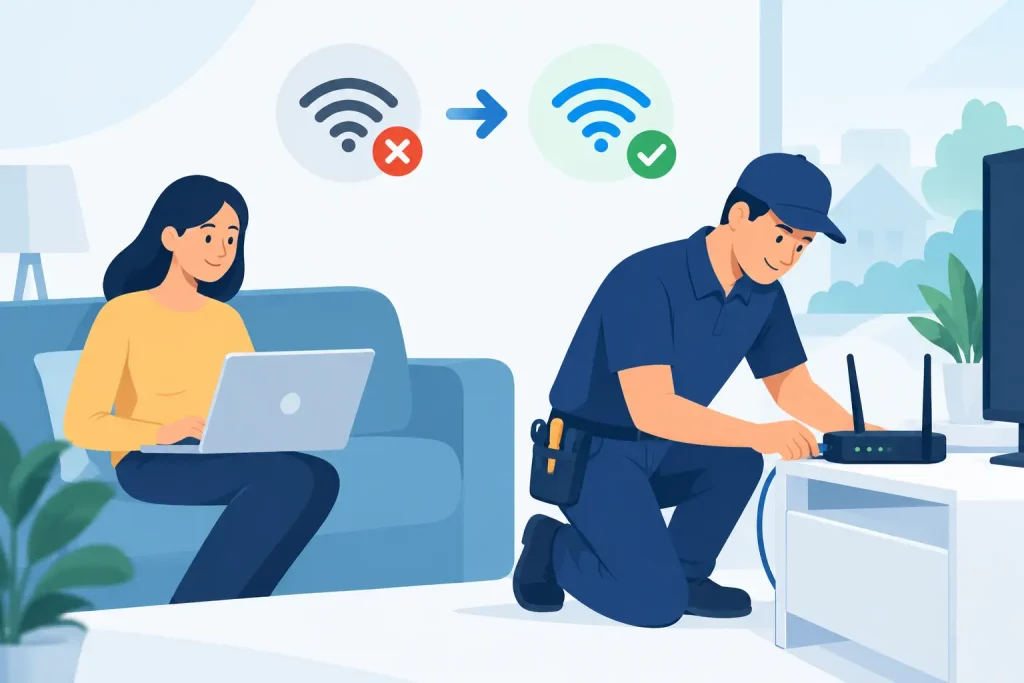
A dropped video call at 9am, a spinning screen during schoolwork, or a modem that suddenly shows a red light can make broadband feel far more complicated than it should. Good broadband fault resolution is not about asking you to repeat the same steps for an hour. It is about working out where the problem sits, testing the right things, and giving you a clear answer about what happens next.
Not every internet issue is a network fault. Wi-Fi coverage, a loose cable, a powered-off network box and an outage in the local area can all look similar from the lounge room. The difference matters because each issue has a different fix – and because nobody should be sent in circles when they just need their connection back.
What broadband fault resolution should look like
A fair fault process starts with diagnosis, not assumptions. Your provider should establish whether the issue is affecting your connection to the network, the equipment inside your home, or only the way devices are connecting over Wi-Fi.
For example, if your modem has power but cannot establish an internet connection, remote testing may show whether the service is reaching your address. If the line is working normally but only one laptop keeps dropping out, the fault is more likely to be with that device or its Wi-Fi signal. If several homes in the area are affected, the network owner may be managing an outage or planned works.
This is where multi-network broadband can be confusing. NBN, Opticomm, cable and building-specific networks do not all use the same equipment or fault process. Your retail provider remains your point of contact, but the network owner may need to investigate or repair infrastructure outside your property. A straightforward provider explains that handover clearly instead of leaving you to chase multiple companies.
The line between your home and the network
Broadly speaking, faults fall into three areas. There is the network leading to your property, the connection equipment at the property, and your in-home set-up. Responsibility can vary by network type and property arrangement, particularly in apartments and newer developments.
A damaged lead from the wall socket to your modem, for instance, may be an in-home issue. A loss of signal before it reaches the connection point may require a network investigation. In an apartment, building communications equipment can add another layer, and access may need to be organised through an owners corporation or building manager.
The point is not to make customers learn telecommunications jargon. It is to set sensible expectations: some problems can be fixed in minutes, while a physical network repair may require testing, access arrangements or a technician appointment.
Check the simple things first
Before reporting a fault, a few quick checks can save time and help narrow down the cause. They should be simple, safe and sensible – not a scavenger hunt through your ceiling or a request to reconfigure equipment you do not understand.
First, check whether your modem and any separate network connection box have power. Look for obvious warning lights, but remember that light labels differ between modem models. Make sure cables are firmly connected at both ends and have not been knocked loose while cleaning, moving furniture or setting up a new television.
Next, restart the equipment properly. Switch off the modem and, if applicable, the separate connection box. Wait around 30 seconds, then turn the connection box back on first and allow it to settle before restarting the modem. It can take several minutes for the service to reconnect, so avoid repeatedly switching equipment on and off.
If possible, test with one device connected to the modem using an Ethernet cable. This is one of the clearest ways to separate a broadband connection problem from a Wi-Fi problem. If the wired connection works but wireless devices are slow or dropping out, the internet service may be fine while your Wi-Fi needs attention.
Avoid a factory reset unless support specifically asks you to do it. A factory reset can erase settings required for your service and may turn a smaller issue into a longer interruption.
When it is Wi-Fi, not the broadband connection
Many homes now have dozens of connected devices competing for the same wireless signal. Streaming, gaming, video meetings, smart TVs, security cameras and phones all place different demands on your home network. A working broadband service can still feel poor if the Wi-Fi signal cannot reliably reach where you need it.
Distance, walls, mirrors, appliances and apartment living can all affect Wi-Fi. A modem tucked inside a cupboard, placed on the floor or positioned at one end of a long home is unlikely to give every room the same result. Moving it to an open, central and elevated position can make a noticeable difference.
It also depends on what you are trying to do. A basic web page may load without trouble while a 4K stream or competitive online game exposes Wi-Fi interference and congestion. For work areas, gaming setups and fixed entertainment devices, a wired Ethernet connection is usually the most stable option. In larger homes, a mesh Wi-Fi system may be worth considering.
That does not mean every issue is your Wi-Fi. If wired devices cannot get online, the modem cannot establish a connection, or the service cuts out across every device, it is time for your provider to investigate the broadband side.
Report a fault with useful detail
A clear fault report gets the right test started sooner. You do not need technical language, but specific observations are valuable. Note when the issue began, whether it is constant or intermittent, which lights are showing on your equipment, and whether every device is affected.
It also helps to say what has changed. Perhaps the issue started after a storm, after construction work nearby, after moving the modem, or after a new device was added. If you can access the internet on a mobile service, check whether there is a known outage affecting your area before spending time on in-home troubleshooting.
When you contact support, explain the outcome of your checks rather than simply saying the internet is slow. For example: “The modem has been restarted, the connection light is flashing red, and a laptop connected by Ethernet cannot access any websites.” That gives the support team a much better starting point.
At City Cable, the goal is to keep that conversation local, clear and accountable. If remote testing indicates a network fault, the issue can be raised with the relevant network partner. If the results point to equipment or Wi-Fi, you should be told why and what practical option is available to fix it.
What to expect if a technician is needed
A technician visit is not always the first or fastest answer. Remote line tests can identify many service issues without anyone needing to attend your home. But where a physical fault is suspected, an appointment may be necessary to test the connection point, cabling or network equipment.
You may need to be present, or arrange access if you rent, live in a secured building or have equipment located in a shared communications room. Make sure the technician can safely reach the relevant equipment and that any pets are secured. If an appointment needs to be changed, give as much notice as possible.
Timeframes depend on the fault type, network, local workload and whether external works are required. A provider should not pretend every issue has the same turnaround. What customers deserve is an honest update, a clear explanation of the next step and contact that does not disappear once the fault has been lodged.
Preventing the next interruption
You cannot prevent every network outage, especially after severe weather or damage to external infrastructure. You can reduce avoidable problems by keeping your modem ventilated, using a quality surge protector where appropriate, avoiding damaged cables and not placing network equipment where it can be bumped or overheated.
For households that rely on internet for work, study or medical monitoring, it is sensible to have a backup plan. That might be mobile data, a mobile broadband device or knowing where you can safely work for a short period if an external repair takes longer than expected. The right option depends on how critical your connection is and how much data your household uses.
When your internet stops working, you should not have to become a telco technician to get help. Start with a few practical checks, report what you are seeing clearly, and expect a provider that owns the process from first test to final fix.