A dropped internet connection can stop a business well before anyone has time to log a fault. EFTPOS terminals fail, cloud systems time out, calls cut off and staff burn valuable hours tethering laptops to mobiles. Corporate internet failover gives your business a second path online, so one network fault does not become a full business shutdown.
For many Australian businesses, the question is not whether the main connection will ever go down. It is how long the business can reasonably operate when it does. A café may need card payments back in minutes. A medical practice may need secure access to booking and patient systems. A warehouse may need scanners, dispatch platforms and CCTV working throughout the day.
What corporate internet failover actually does
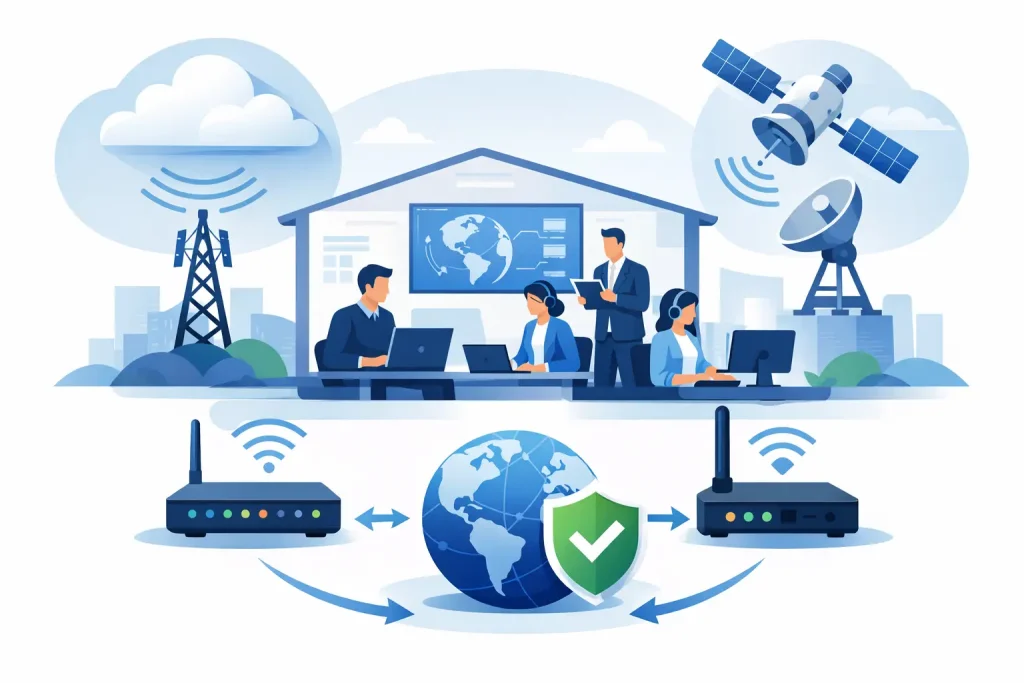
Corporate internet failover is a backup connection that takes over when your primary internet service becomes unavailable or unusable. A failover router, firewall or SD-WAN device monitors the main service. If it detects a fault, it redirects traffic through the backup service.
The best setups do this automatically. Staff should not have to unplug cables, ring support or change Wi-Fi settings just to get back online. There may be a brief interruption while sessions reconnect, but the aim is to keep essential operations moving with minimal fuss.
Failover is different from simply having a spare mobile hotspot in a drawer. A hotspot can be useful in a pinch, but it relies on someone being present, configuring devices and managing data use. It is not a dependable business continuity plan for a site with phones, payment terminals, shared systems and multiple staff.
It is also worth separating failover from load balancing. Load balancing uses two connections at the same time to share traffic. Failover keeps one connection ready to take over when the primary path fails. Some businesses need both, but they solve different problems.
The backup needs to fail differently
Two services are not automatically resilient just because they come from different providers. If both connections use the same physical route, exchange, building entry point or local infrastructure, one incident may affect both.
That is why connection diversity matters. A practical arrangement might pair a fixed-line NBN or fibre service with 4G or 5G mobile backup. For a larger site, it may mean two fixed services delivered through separate carriers and, where possible, separate physical paths into the premises.
Mobile backup is often the fastest option to deploy and works well for many small and mid-sized offices. Its trade-off is that mobile coverage, congestion and data allowances can affect performance. A site that suddenly shifts fifty staff onto mobile backup will use far more data than a site that only needs EFTPOS, VoIP and critical cloud applications.
A second fixed service can provide more capacity and predictable performance, but it can cost more and take longer to install. It is often the right choice where internet access is central to revenue, safety or service delivery. Think large retail locations, multi-site operations, professional services firms with heavy cloud workloads, or businesses running their phones entirely over the internet.
The right design depends on what must stay online, not on buying the biggest backup plan available.
Start with the cost of downtime
Before choosing a connection, define what an outage actually costs. This is more than lost sales. Include idle staff time, missed calls, delayed dispatches, unhappy customers, manual workarounds and the risk of losing access to records or security systems.
Then decide which services are essential during an outage. Most businesses do not need every non-critical activity to run at full speed on backup. They do need the basics to work.
For example, a retail business may prioritise payment terminals, point-of-sale systems, guest Wi-Fi management and head-office access. A professional office may prioritise cloud applications, business phone calls, video meetings for key staff and remote access. If every device and application is allowed onto a limited mobile backup, the connection can become slow just when it matters most.
Your IT team or provider can set traffic rules that give essential services priority. This may include restricting large downloads, software updates, streaming or guest Wi-Fi while the site is running on backup. It is a sensible compromise that protects the work customers and staff cannot wait on.
What to check before buying a failover service
The service itself is only part of the answer. The router or firewall must support automatic failover, and it needs to be configured properly. Consumer-grade equipment may provide basic switching, but it can struggle with business traffic, security requirements, multiple networks or remote management.
Ask whether the device checks for a genuine internet outage rather than simply checking whether a cable is plugged in. A connection can appear active while being unable to reach the internet. Better monitoring tests access to reliable external services and switches paths when the primary link is no longer usable.
You should also ask how inbound services will behave. If staff use remote desktop access, hosted systems, security cameras or site-to-site VPNs, a failover event can change the public IP address. Some applications recover easily. Others need a static IP, DNS configuration or specialised network setup to keep working as expected.
For sites using cloud phone systems, check whether the phones will register over the backup connection and whether voice traffic is prioritised. Calls need modest bandwidth, but they are sensitive to delay, jitter and packet loss. A backup service that is fine for email may still give staff poor call quality if the network is not configured to protect voice traffic.
Finally, clarify the commercial details. Check the mobile data allowance, excess data pricing, contract terms, hardware costs, installation timeframes and support responsibilities. Straight answers upfront are better than finding out that a major outage has pushed the business onto an expensive data rate.
Testing is where most plans fall short
A failover service that has never been tested is an assumption, not a continuity plan. Businesses should schedule a controlled test after installation, then repeat it regularly. Quarterly testing suits many sites, while high-dependency operations may test more often.
During the test, disconnect or disable the primary link and watch what happens. Check that the backup activates, staff can access key applications, phones work, payment terminals process transactions and remote users can reach the systems they need. Record how long the switch takes and where problems appear.
Do not stop at the first successful test. Test the return to the primary connection too. Some systems hold sessions open, while others need to reconnect. Confirm that the network returns to normal without disrupting services or leaving traffic stuck on the backup link.
It is also smart to test under realistic conditions. A five-minute test at a quiet time may not reveal what happens when the office is full, a video meeting is underway and transactions are being processed. You do not need to create chaos, but the test should reflect the workload your business expects to protect.
Failover does not replace good network management
Internet redundancy is valuable, but it cannot fix every cause of downtime. A failed router, damaged internal cabling, power outage or misconfigured firewall can still take a site offline even when the backup service is available.
That is why a complete plan considers the whole chain. Keep network equipment on an uninterruptible power supply where appropriate. Maintain secure, documented router configurations. Make sure the person responsible for the site knows who to contact and where key equipment is located. For critical sites, consider whether the backup connection, networking gear and mobile equipment have enough power during a local outage.
Security also matters. A backup connection should meet the same standards as the primary service. It should sit behind a properly configured firewall, use secure remote access controls and be monitored for unusual activity. Fast recovery is not useful if it creates a weak point in the network.
Building a plan that fits the business
There is no one-size-fits-all corporate internet failover setup. A small shop may be well served by a fixed primary service and managed 4G or 5G backup. A busy office might need a higher-capacity secondary service, application prioritisation and a firewall that can be managed remotely. A larger organisation may need diverse carriers, multiple site connections and documented recovery procedures.
The practical first step is to identify the services that cannot stop, the downtime your business can tolerate and the risks shared by both connections. From there, choose a provider and hardware setup that give you clear costs, local support and a plan that can be tested rather than merely promised.
At City Cable, the focus is on making connectivity straightforward: understand what is available at your address, match it to how the business operates, and avoid surprises when support is needed. A backup connection should not be an expensive mystery. It should be a clear, tested safeguard that lets your team keep serving customers when the primary line has other ideas.
When the next outage arrives, the best result is not a dramatic recovery story. It is a business day that carries on with barely anyone noticing.