
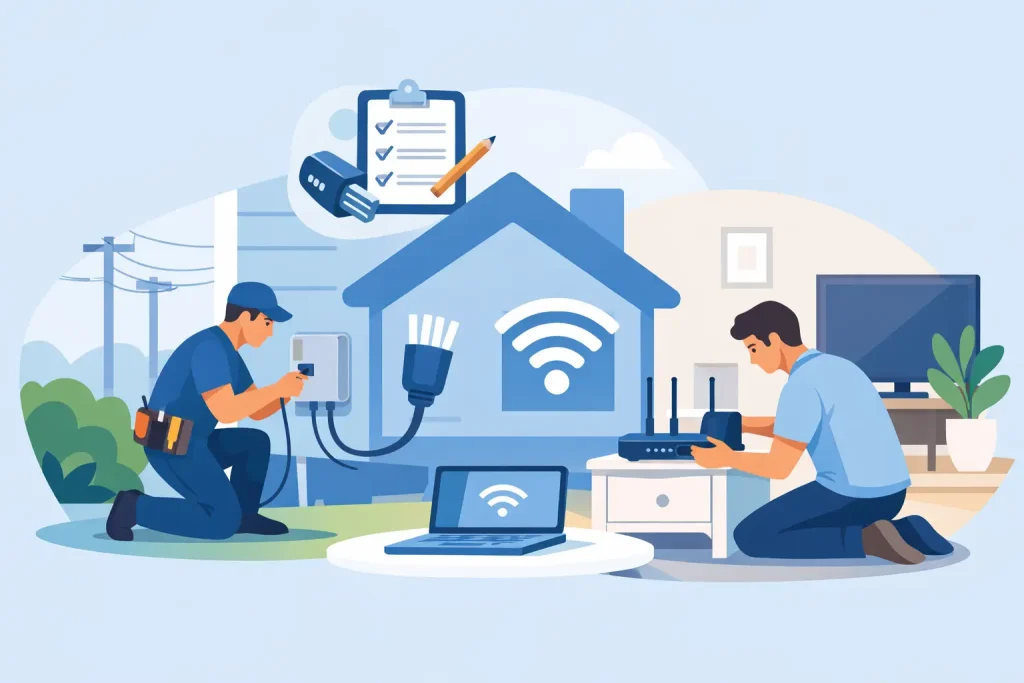
An NBN appointment is easier when the technician can get to the right places, the right person is home, and your existing setup has not been packed into a cupboard behind a pile of boxes. A little preparation can prevent the most common delays and help you get online sooner. Here is how to prepare for nbn installation without the usual telco run-around.
Start by confirming what is happening at your address
Not every NBN connection is installed the same way. The work required depends on the network technology available at your address and whether the property has been connected before.
If your home already has an active NBN connection, the change may be mostly administrative. You may only need to connect a compatible modem or router once your service is switched on. If the home has never been connected, or the previous equipment has been removed or damaged, a technician appointment may be needed.
The technology matters too. Fibre to the Premises (FTTP) generally involves a network device installed inside the home, while Fibre to the Node (FTTN) and Fibre to the Building (FTTB) commonly use the existing telephone wall socket. Hybrid Fibre Coaxial (HFC) uses a coaxial wall outlet, and Fixed Wireless relies on an antenna and network equipment. The installation advice in your order confirmation should tell you what to expect.
Before the appointment, check the date, arrival window and any instructions sent by your provider. Keep your mobile nearby on the day in case the technician needs to contact you. If something does not look right – such as an appointment booked for an address that already has working equipment – ask early, rather than waiting for the technician to arrive.
Clear access before you prepare for NBN installation
Technicians need safe, practical access. That sounds obvious, but blocked wall sockets, locked gates and hard-to-reach utility areas are among the reasons appointments can take longer than expected or need to be rescheduled.
Inside, find the likely connection point. It may be an old telephone socket, a coaxial outlet, a wall-mounted NBN box or a small enclosure in a garage, study, hallway or cupboard. Clear furniture, boxes and other obstacles from around it. If your modem lives in a media cabinet, make sure there is room to plug in equipment and that the power point is usable.
Outside, make sure gates are unlocked and pets are secured. If the connection point, external wall box or lead-in cable is near a side passage, remove anything that blocks access. This is especially useful in older homes where cables may run along external walls or through a garage.
For apartment residents, access can be more complicated. The technician may need to enter a communications room, basement, riser cupboard or locked common area. Check with your building manager, owners corporation or property manager before the appointment if you are not sure. A technician cannot usually wait around for building access to be arranged.
Choose the best spot for your modem
The first available wall socket is not always the best place for your Wi-Fi. If there is any choice, aim for a central, open location with a nearby power point. A modem tucked into a metal cabinet, behind a television or at one end of a long house can leave rooms at the other end with weaker coverage.
That said, the network entry point may dictate where fixed NBN equipment has to go. The technician’s job is to connect the NBN service, not redesign your home network. If the connection must be installed in the garage or a study at one end of the house, you can still improve coverage later with a mesh Wi-Fi system, Ethernet cabling or a properly placed Wi-Fi extender.
Have the right person available
Someone aged 18 or over should be at the property for the full appointment window, not just at the start. They need authority to approve reasonable installation work and access rooms, cupboards, the garage and outside areas if required.
If you rent, you can generally arrange a standard NBN connection, but avoid assuming major alterations are automatically allowed. A small wall-mounted device or cable entry may be necessary, particularly for FTTP or Fixed Wireless. If drilling, new conduit or a different equipment location is likely, check your lease and speak with your property manager or landlord beforehand. Getting approval in writing can save a difficult conversation later.
For a newly built home, confirm that the premises is ready for connection. Internal cabling, conduits and utility access can affect what is possible on the day. If builders, trades or landscaping work are still underway, it may be smarter to book the connection once access is safe and clear.
Keep your existing internet connected if you can
Do not cancel a working service too early unless you have been told it is necessary. In many cases, your old connection will remain available until the new service is activated, although this depends on the technology and the type of change being made.
Households that rely on internet for work, study, security cameras or medical monitoring should plan for a short interruption anyway. Save important files locally, download anything you need for the day and have mobile data available as a backup if practical. Installation times can vary, and activation may not always happen the moment the technician leaves.
If you are moving house, organise your broadband order as soon as you know the address and move date. Last-minute orders can leave you without internet in the first few days, particularly where a technician visit or building access is needed.
Get your equipment ready, but do not connect it too soon
Your provider may supply a modem, or you may be using your own compatible device. Keep it unpacked and nearby with its power adaptor, Ethernet cable and any setup details. You do not need to clutter the kitchen bench with every cable you own, but having the essentials ready avoids a scramble after activation.
For some connection types, you will plug the modem directly into the wall socket. For others, it connects by Ethernet cable to an NBN connection box. The exact setup is different, so follow the instructions supplied with your service rather than relying on a video for a different technology.
If you are bringing your own modem, compatibility is worth checking before installation day. A device that worked with a previous provider may still need different settings, and some older units do not support the connection type or speed tier you have ordered. This is one area where guessing can cost time.
Also think about devices that depend on the old service. Landline phones, monitored alarms, EFTPOS terminals, intercoms and medical alert systems may need checking, especially in older properties. NBN equipment requires mains power, so a traditional phone may not work during a blackout unless you have an appropriate backup solution.
What to expect on installation day
The technician will assess the connection path and existing equipment, then complete the work required within the scope of the appointment. They may need to test signal levels, replace a damaged socket or install network equipment at an agreed location. Ask questions if you are unsure where a box is being placed, particularly before any drilling or visible cable work begins.
There are limits to what can be completed on the spot. Unsafe access, blocked conduits, complex building wiring, boundary issues or missing approval can mean follow-up work is needed. That is frustrating, but it is better than an unsafe or unreliable installation.
Once the work is complete and your service is active, connect your modem and test it where you will actually use it. Open a few websites, try a video call or stream, and check Wi-Fi in the rooms that matter most. A speed test is useful, but results can change depending on Wi-Fi distance, the device used, background downloads and the time of day. Test with an Ethernet cable if you want a clearer view of the connection itself.
If the service does not work straight away
First, give activation the time advised by your provider. Then check that all cables are firmly connected, the modem and NBN equipment have power, and any status lights match the setup guide. Restarting the modem once can help, but repeated resets usually do not fix a network-side issue.
Take a photo of the equipment lights and note any error messages before contacting support. Clear details help local support teams diagnose whether the issue is in your home, the modem configuration or the network. City Cable can help customers understand their available connection and get the service set up without the hidden-fee nonsense that makes switching harder than it needs to be.
A well-prepared appointment is not about becoming an NBN expert. It is simply about giving the technician safe access, choosing a sensible equipment location and keeping the day clear enough to deal with any decisions. Do that, and you give your new connection the best chance of starting properly from day one.